Research Data Management
2026-02-26
About Us
David Beauchesne & Kevin Cazelles
Co-founders, inSileco
- Research data management
- Automated workflows
- Augmented analytics
- Decision-support tools
Collaborations:
ArcticNet, Sentinelle Nord, ECCC, DFO, W8banaki, Wendake, IAAC, CEM


Research Data are Big
GBIF: Global Biodiversity Information Facility
- Powerful technologies enabling unprecedented data collection
- Ex: GBIF
- 125 million records in 2007
- 1.6 billion in 2020
- 1,150% increase in just 13 years
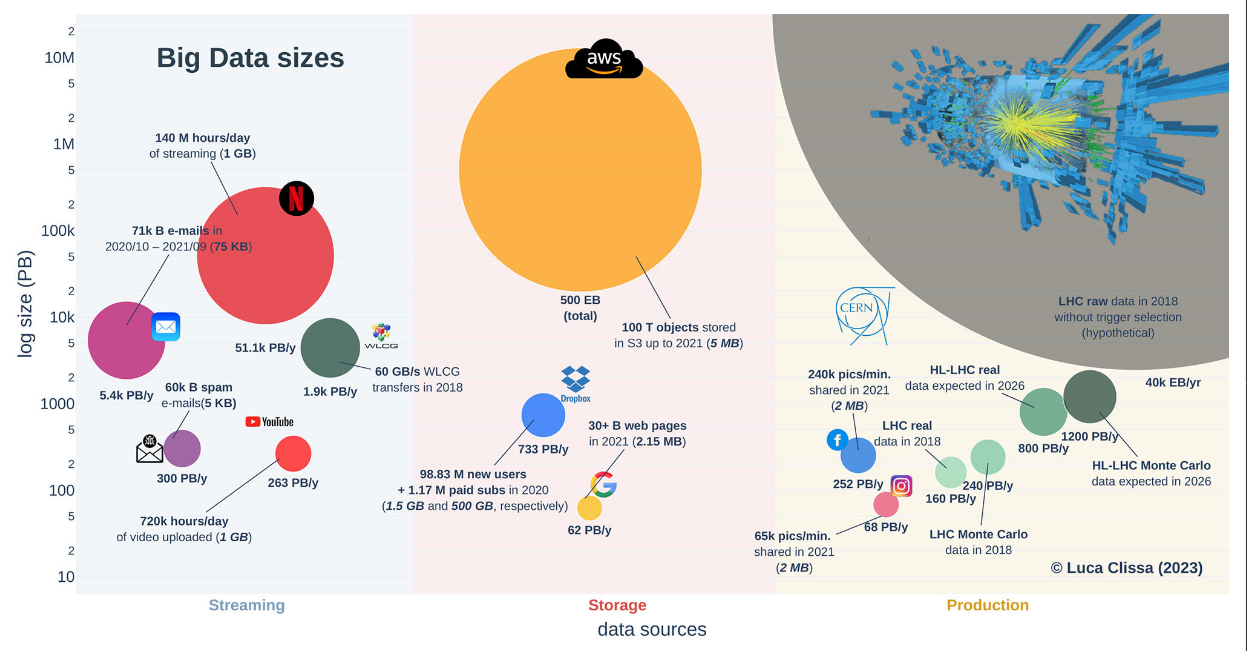
A modern LLM is typically trained with 1x10^13 two-byte tokens, which is 2x10^13 bytes. (Yann Lecun, X, 2024)
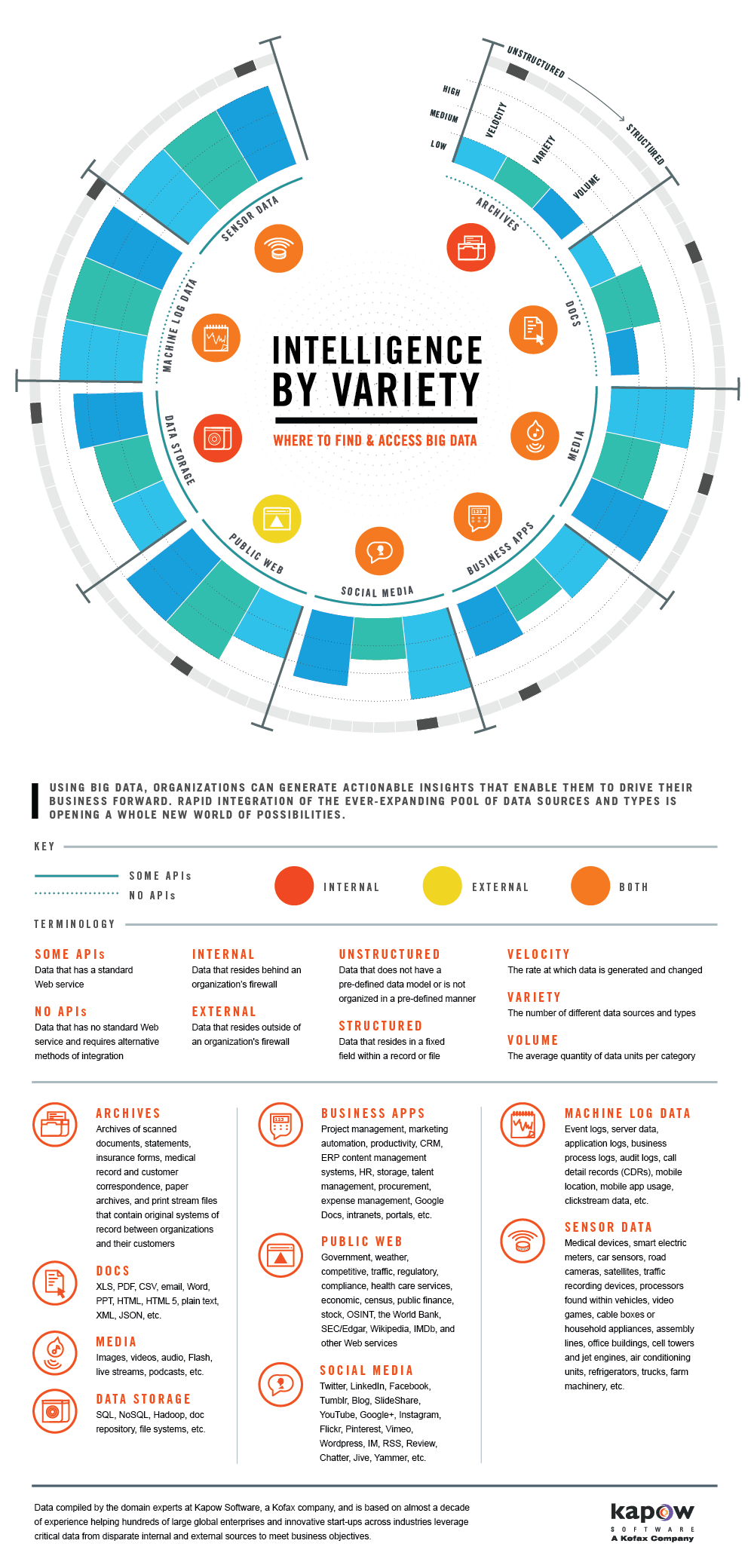
Research Data are Heterogeneous
- Data vary widely across and within disciplines
- Different technologies, different formats,
- New research questions, new data
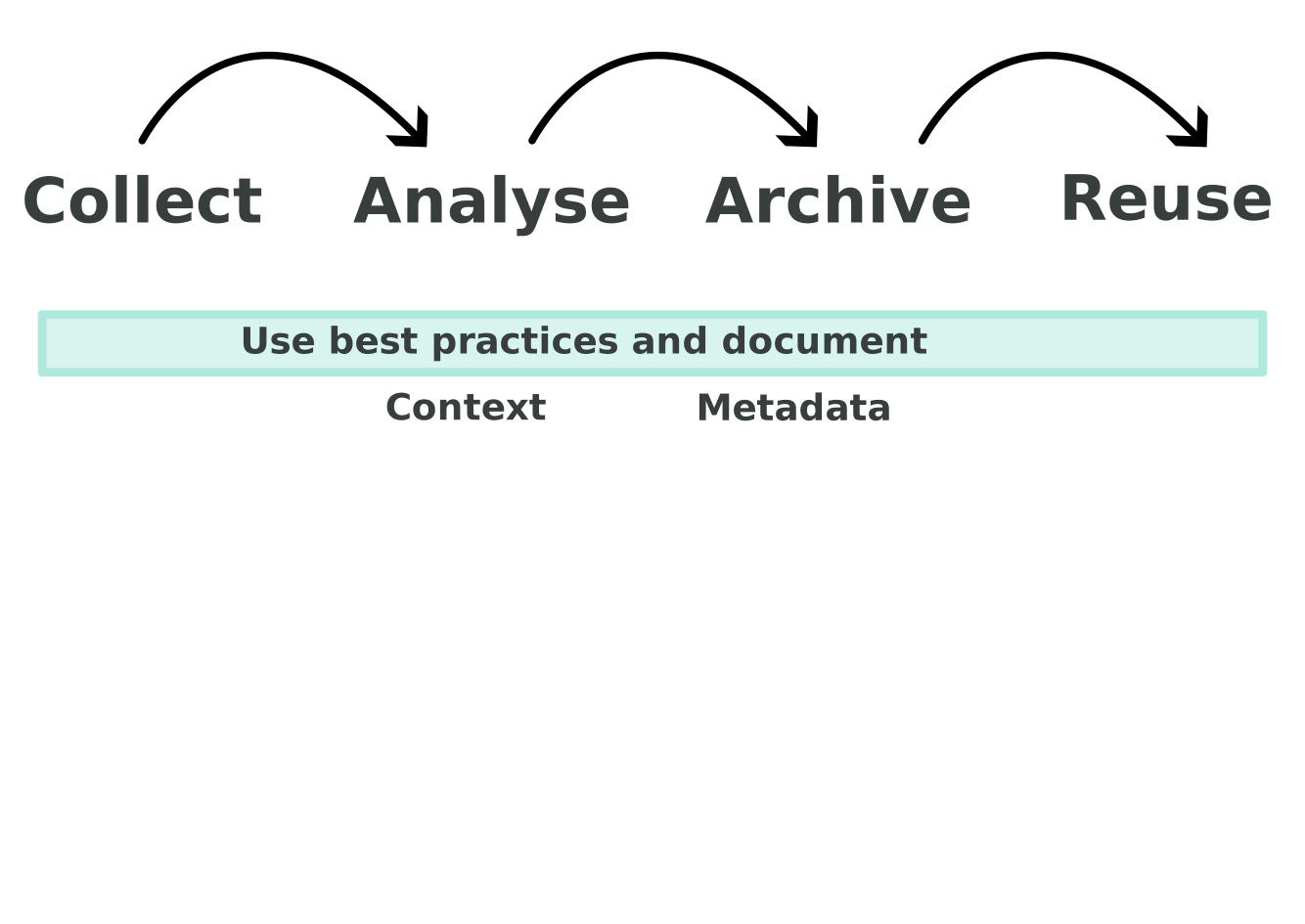
Data Workflow in Research Projects
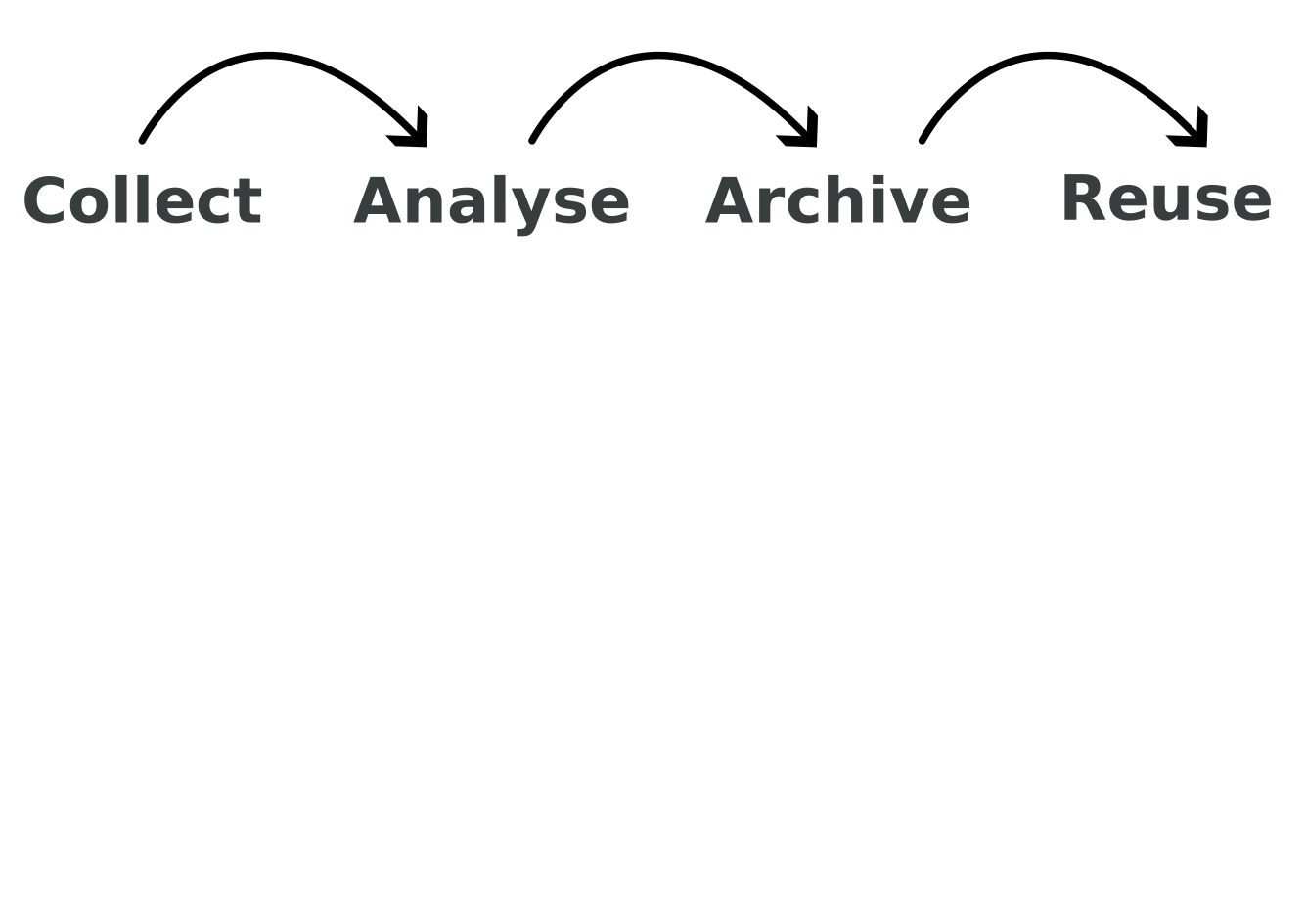
In a nutshell
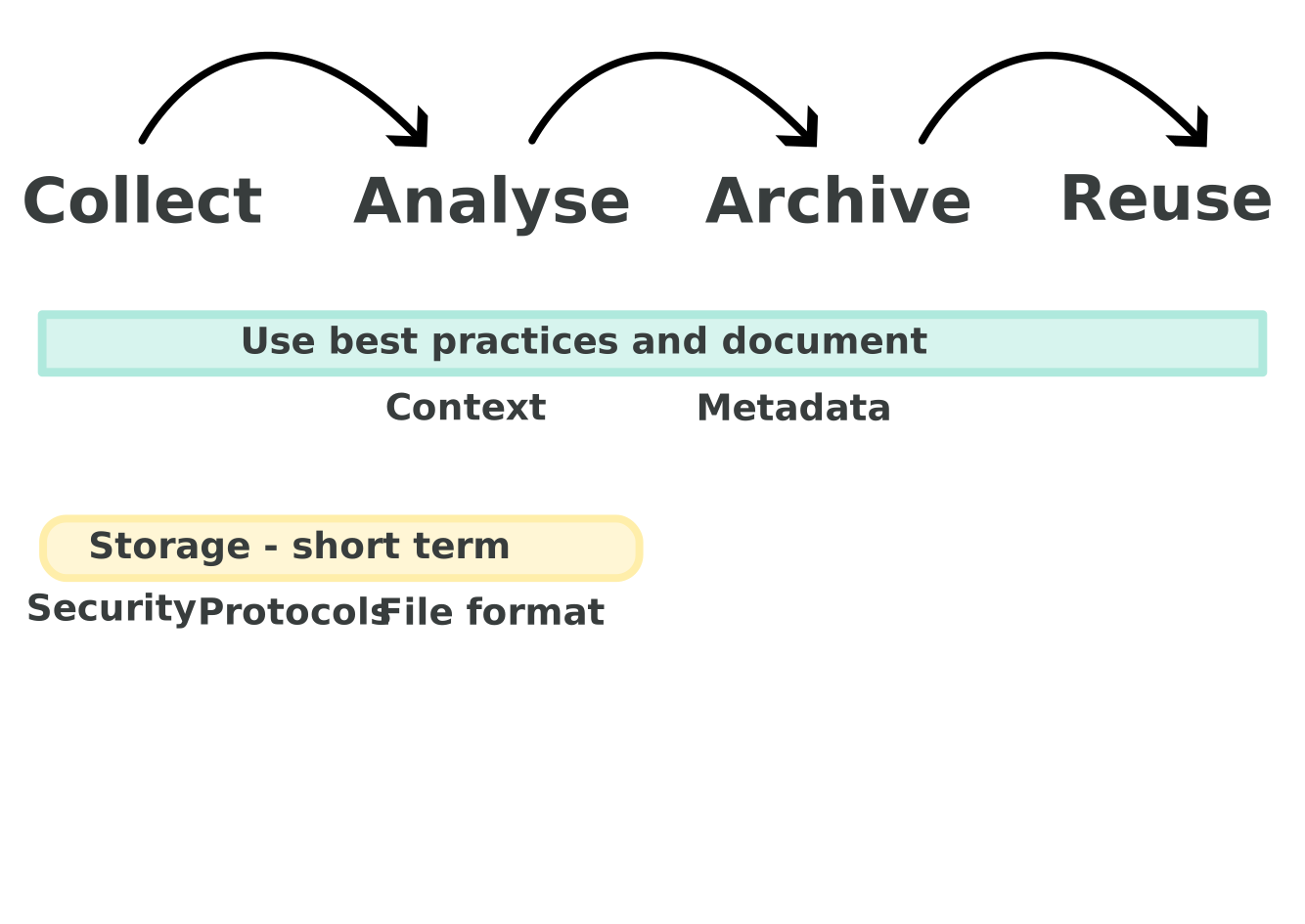
Collect
- Use the best protocols
- Choose the right data format
- Use secured storage
Analyse
- Report all data manipulations
- Save processed data
- Share your code
In a Nutshell
Archive
- Choose a digital repository that respects key principles
- ensure that your metadata are complete
Reuse
- Future you or others
- License your data
- Report secondary datasets usage
Document to Contextualize
Storing your Data
Archiving your Data
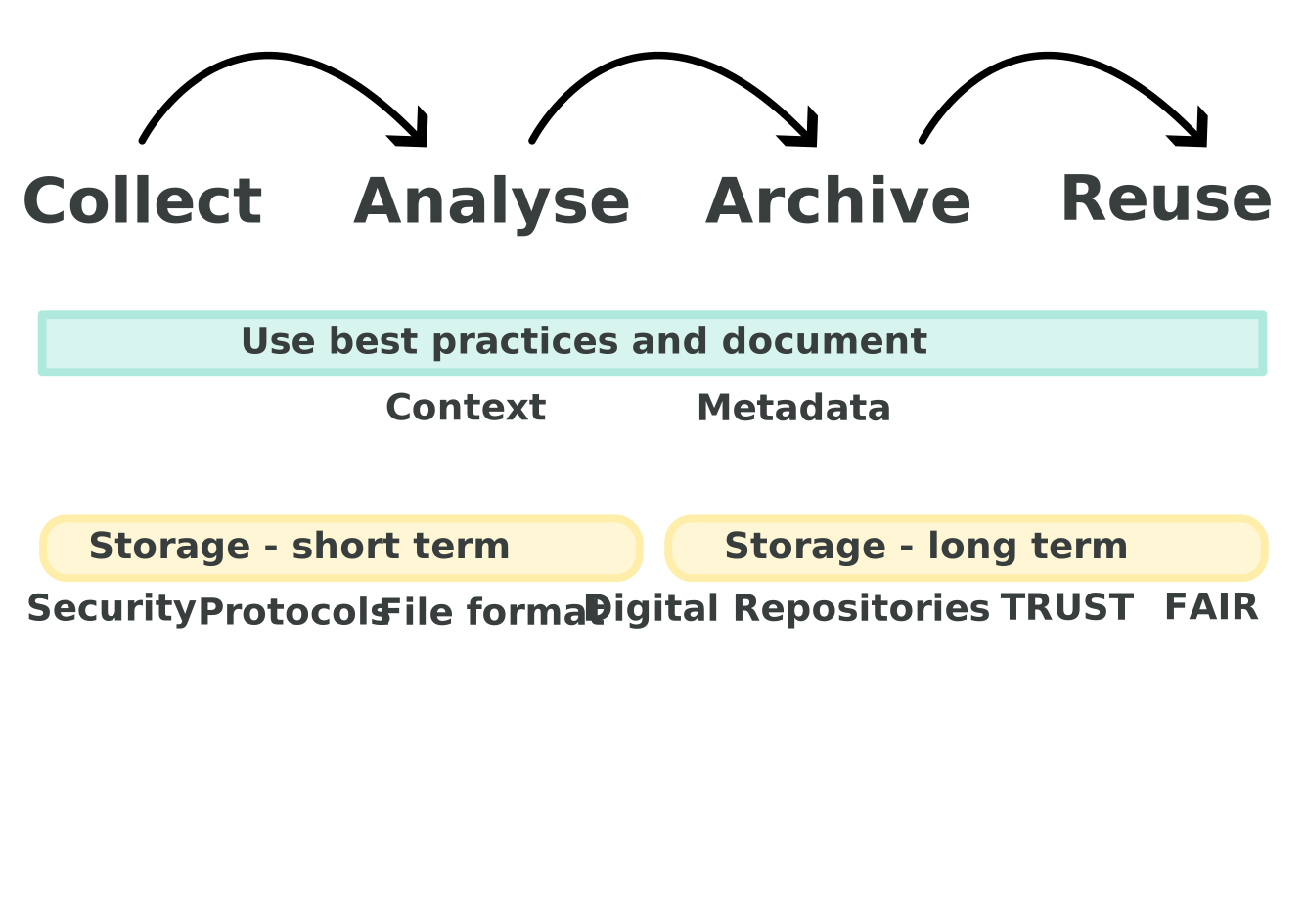
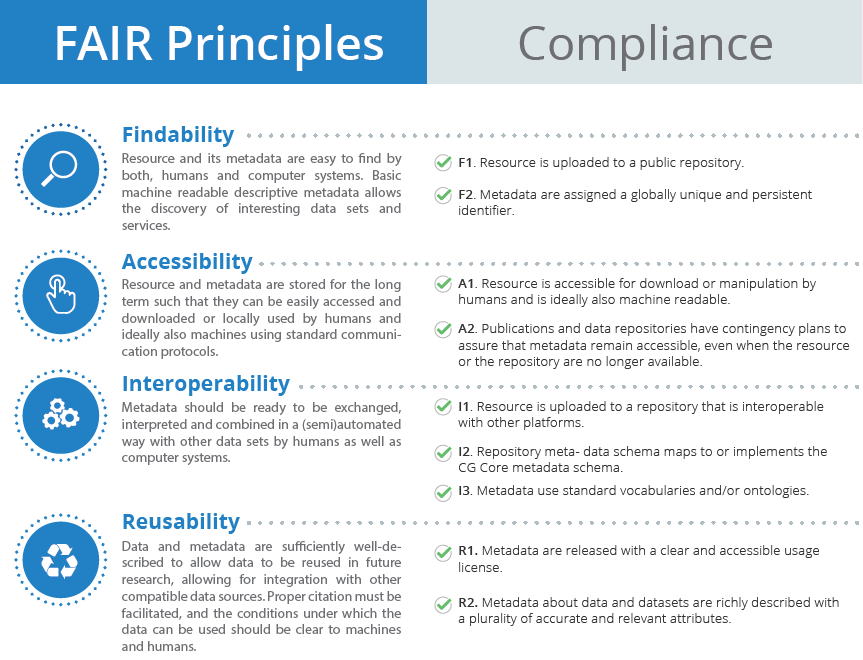
FAIR Principles
(F)Findable(A)Accessible(I)Interoperable(R)Reusable
Goals:
- Make data easy to discover through rich metadata
- Ensure data can be accessed under clear conditions
- Promote interoperability across disciplines & tools
- Enable reuse through licenses & clear documentation
 Persistent Identifiers (PIDs)
TRUST Principles
(T)Transparency(R)Responsibility(U)User Focus(S)Sustainability(T)Technology
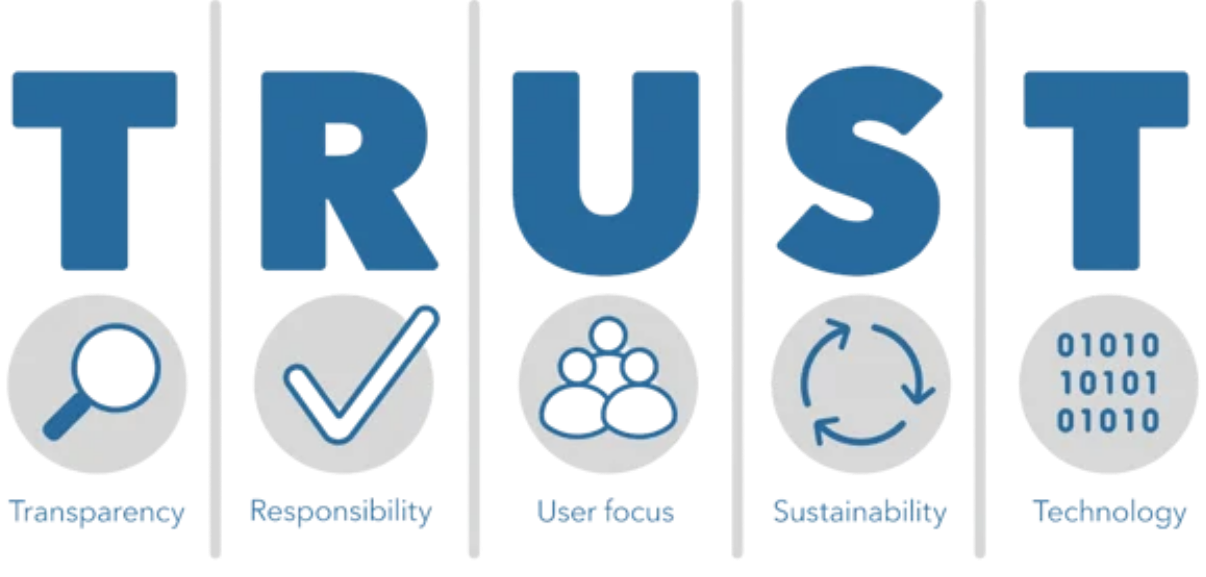
Goals:
- Build confidence in digital repositories
- Ensure authenticity, integrity, and reliability of data
- Prioritize the needs of user communities
- Guarantee long-term preservation and accessibility
- Provide secure, persistent, and interoperable infrastructure
Polar Data Catalogue (PDC)
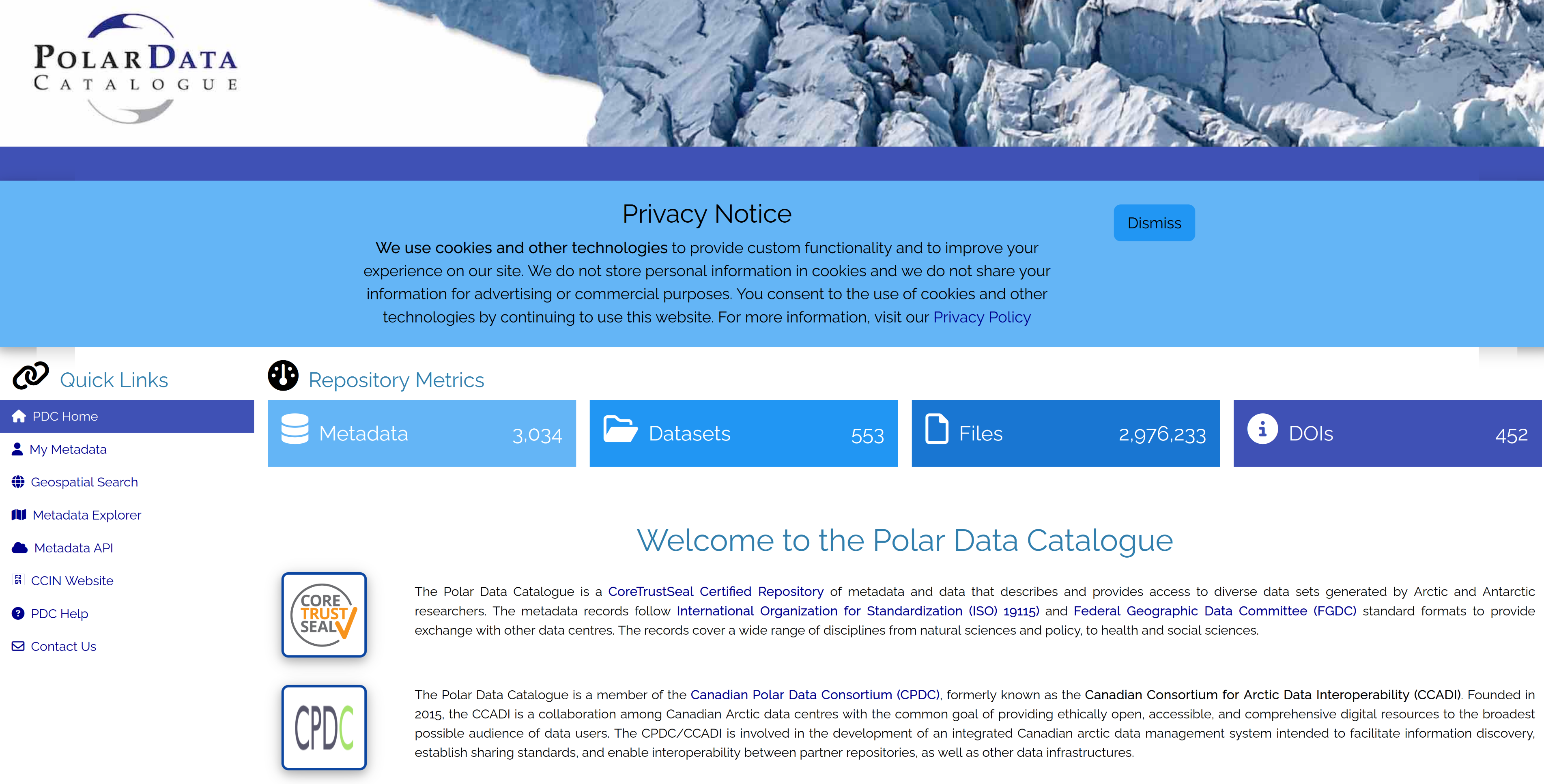
- CoreTrustSeal Certified Repository: data is secure, properly managed, and adheres to FAIR principles.
- Standardized metadata
- Supports ArcticNet researchers
Borealis
Tip
OCUL = Ontario Council of University Libraries
In Canada, Borealis is a national instance of the Dataverse repository hosted by OCUL’s Scholars Portal at the University of Toronto.
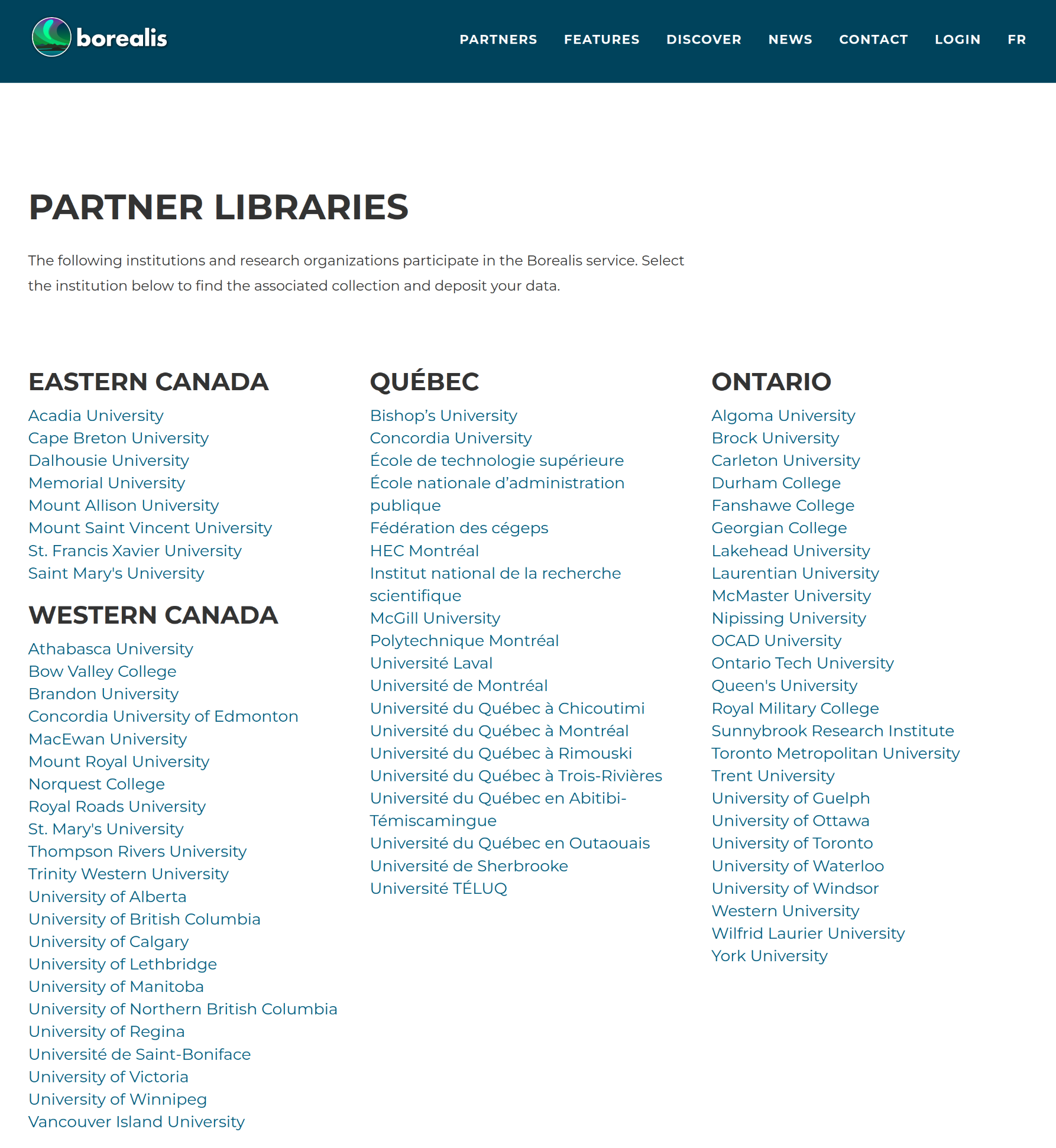
file size limit of 5GB
Ethical and Legal Aspects
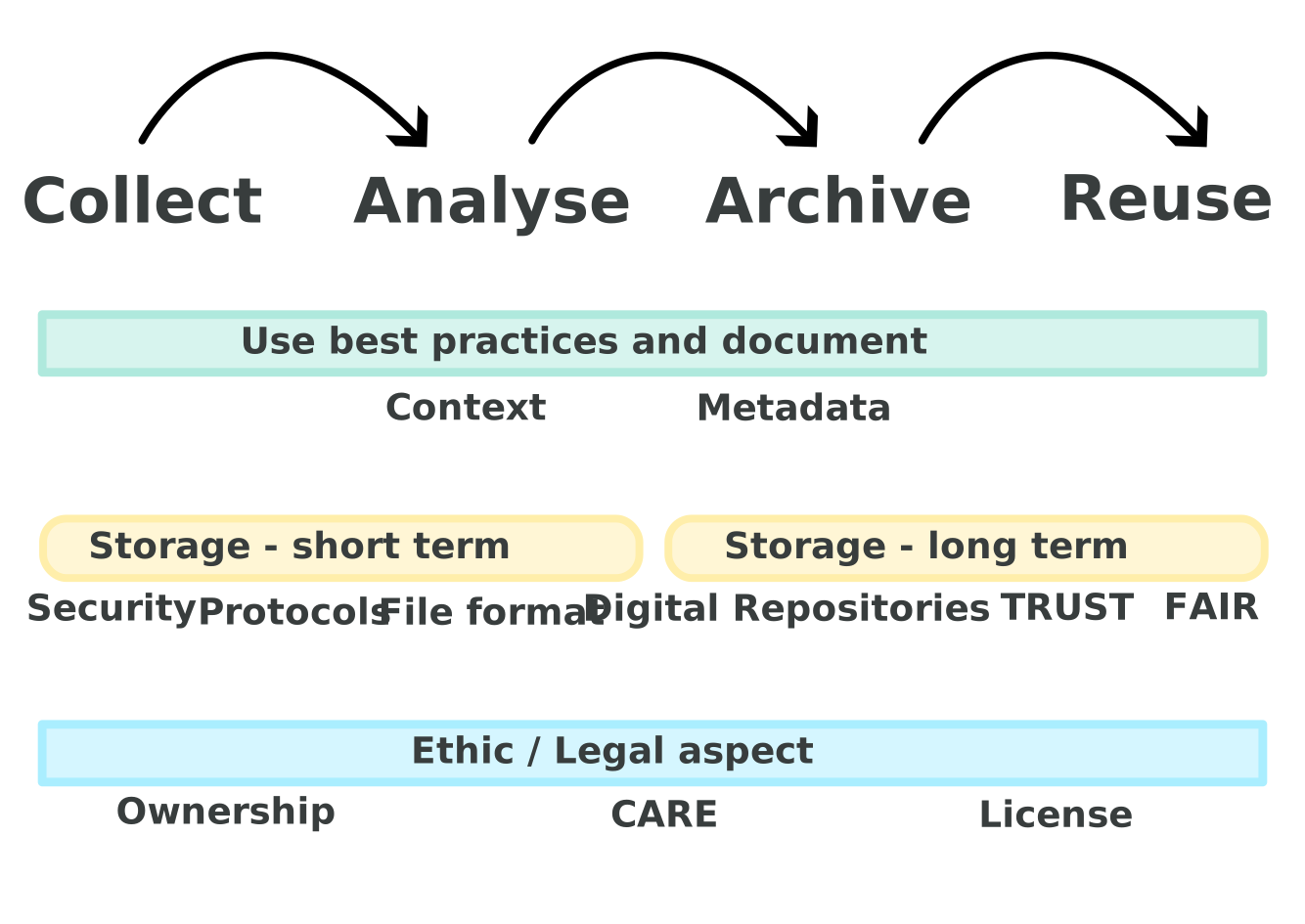
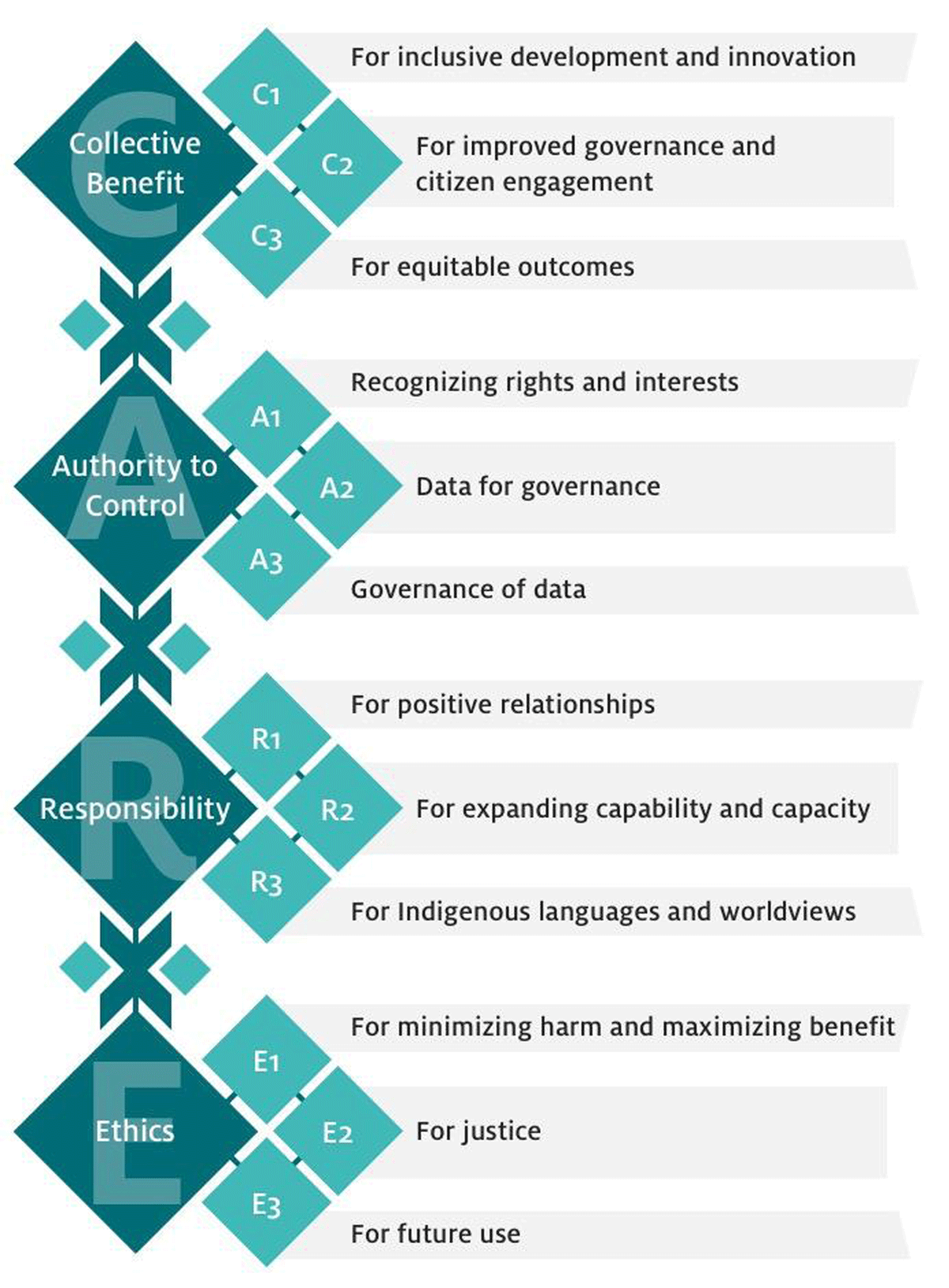
CARE Principles
(C)Collective Benefit(A)Authority to Control(R)Responsibility(E)Ethics
Goals:
- People- and purpose-oriented
- First Nations data rights and governance
- Inspired from OCAP®
- Complement FAIR Principles
Anticipate
- Think about all of this process before doing it
- Write a DMP!
DMP: Data Management Plan
- Could be relatively quick
RDM in IRPs
IRP: Interdisciplinary Research Program
- Scale & complexity: multiple projects, teams, and disciplines
- Continuity: long program lifespans require robust preservation
- Opportunities: well-managed data fosters reuse, integration, new collaborations and new insights
- The network will set and promote best RDM practices
- Same process x number of projects!
- Efforts required in coordination
ArcticNet Principles
In other words: what is expected of you as a researcher
- ArcticNet funded data = a public good ➡️ as open as possible, as closed as necessary
- Researchers must ensure:
- Timely sharing ➡️ data made publicly available quickly, unless restricted
- Publish metadata ➡️ publish and share your metadata (e.g. Polar Data Catalogue)
- Respect for Indigenous rights ➡️ uphold Inuit, First Nations, and Métis ownership, access, and control (CARE, OCAP®, NISR)
- Citable & preserved ➡️ data should be publishable, citable, and preserved when appropriate
- Interoperability & connectivity ➡️ link with Canadian & international Arctic data systems, avoid duplication
- Best practices ➡️ follow ethical, legal, cultural, and funder requirements; use existing infrastructure where possible
- Support & guidance ➡️ researchers engage with training, outreach, and resources provided

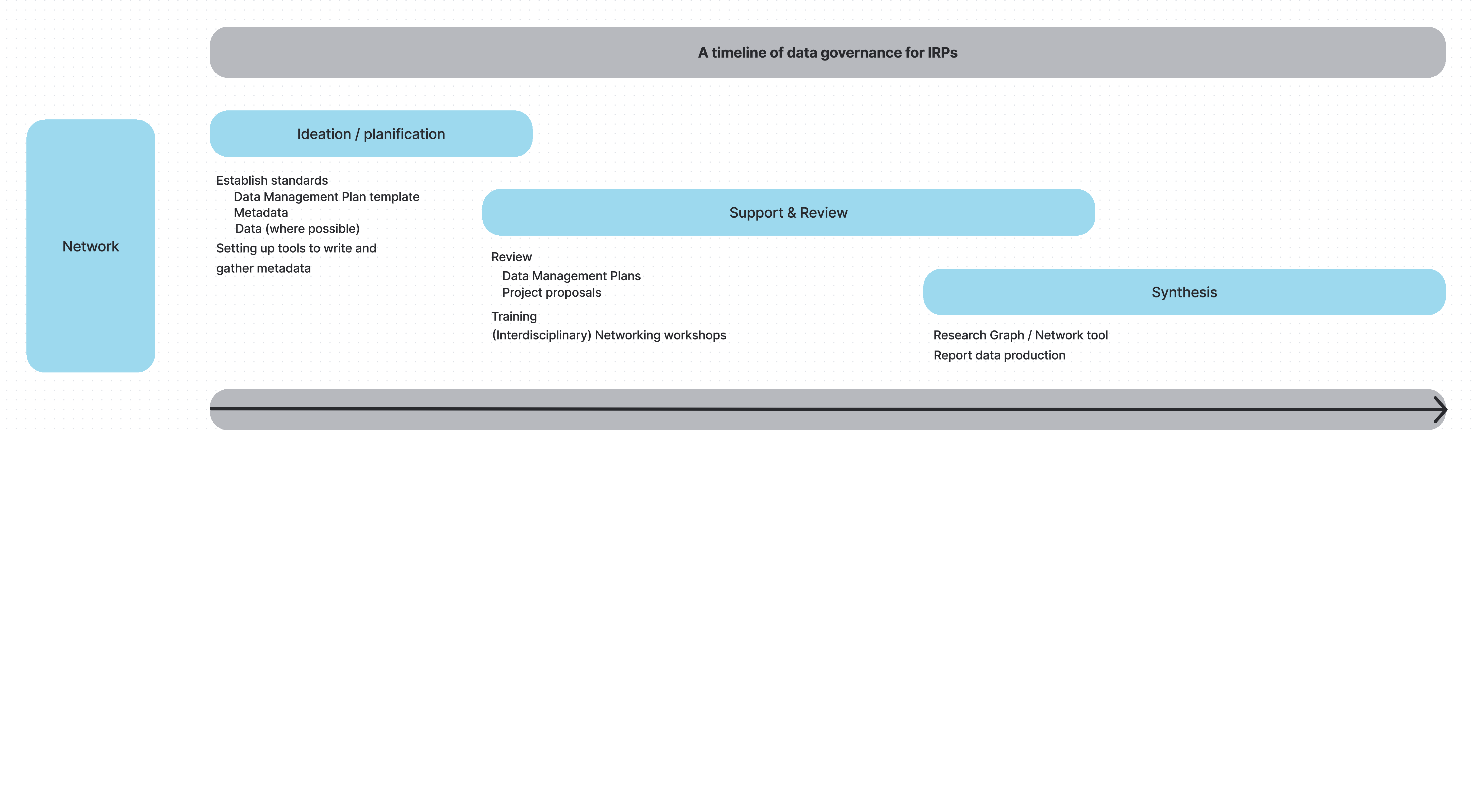
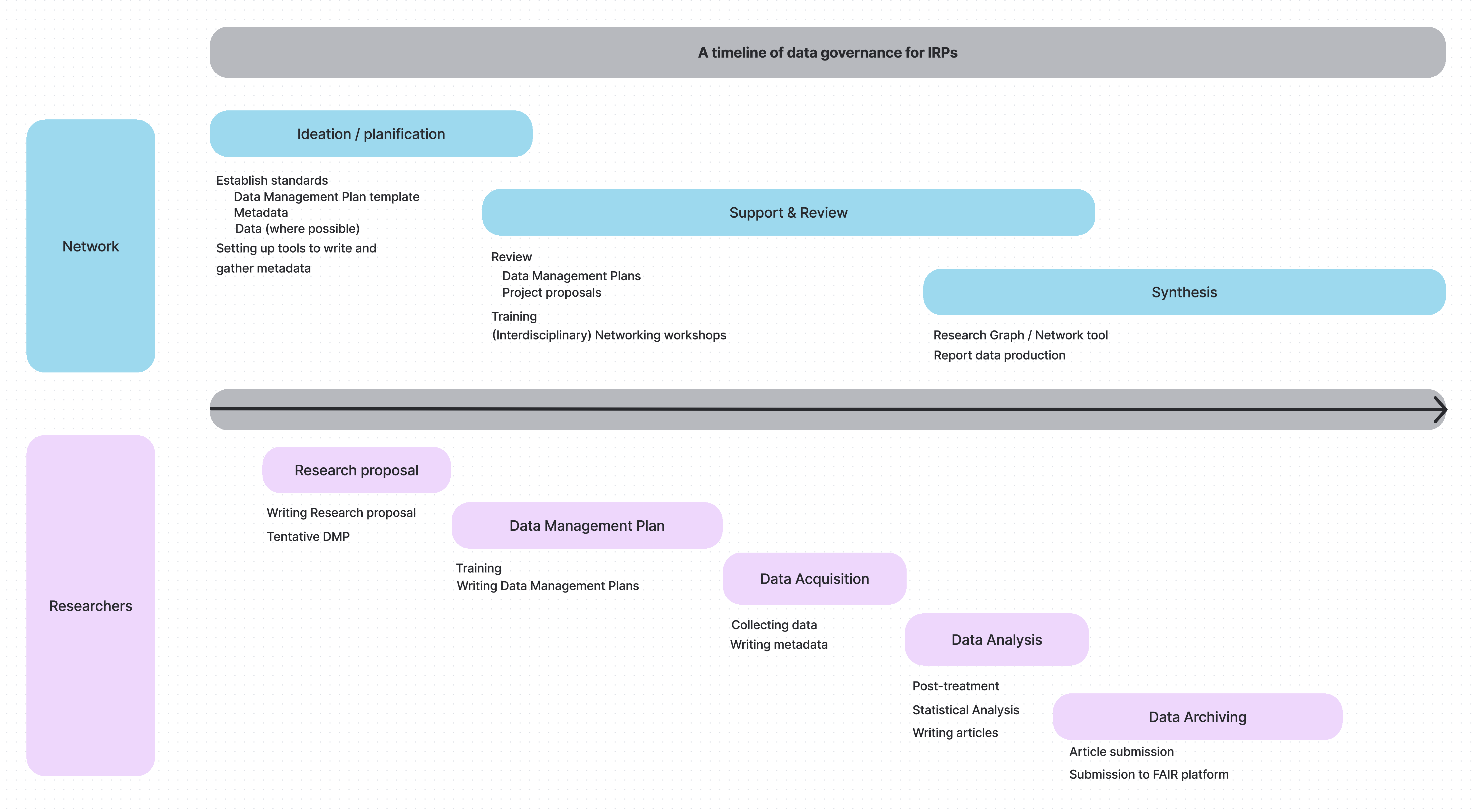
Timeline and dual responsibilities
Network: balance autonomy & coordination
Timeline and dual responsibilities
Researchers: manage and document project data responsibly
Goal
Let us create a DMP together. Let’s start here.

Data collection
Data collection
Guiding Questions
- What kinds of data will I collect?
- observational, experimental, computational, derived
- Which instruments, sensors, or methods will I use?
- field protocols, sensors, lab assays, software pipelines
- How will I ensure quality control before, during, and after collection?
- calibration, duplicate samples, error-checking
- How will I organize and label files?
- consistent file/folder naming, controlled vocabularies
Data collection
Quality Assurance / Quality Control (QA/QC)
- Before collection ➡️ instrument calibration, standardized protocols
- During collection ➡️ duplicate/triplicate samples, control samples, field blanks
- After collection ➡️ validation checks, error detection, version tracking
Data collection
Organization & naming
- Use consistent, descriptive file & folder names
- Avoid spaces/special characters ➡️ use
_or-. - Include versioning & dates (e.g.,
projectA_samples_2025-03-01_v1.csv)
- Organize folders by project/study/site/date rather than by researcher’s preference
- Use controlled vocabularies / ontologies where available ➡️ interoperability
Do & Don’t
✅ lakeC_fieldnotes_2025-03-01_v2.csv
❌ data latest & updated.xlsx
Documentation & metadata
Documentation & metadata
Guiding Questions
- How will I document my data so that others (or my future self) can understand it?
- lab/field notebooks, data dictionaries, README files, protocols
- Which metadata standard(s) will I use?
- Dublin Core, ISO 19115, Darwin Core, DataCite Schema
- When will metadata be created and updated?
- start at project onset, update regularly, finalize at archiving
Documentation & metadata
ArcticNet’s requirements
- Starting year 2, researchers must provide links to metadata records in recognized repositories
- Metadata must be openly accessible
- Funding will be withheld if metadata records are missing or inaccessible
- For Indigenous-owned data ➡️ researchers must identify the organization responsible for storing and managing it
- Metadata publication is still required
ArcticNet’s commitment
Role:
- Define metadata standards for projects
- Support researchers in preparing metadata
- Provide tools/templates to ease metadata submission
Initiatives
- Working with Polar Data Catalogue (PDC) to host project metadata
- Providing a PDC metadata template
- Offering support for preparation and submission
Storage & protection
Storage & protection
Guiding Questions
- Where will data be stored during the project?
- institutional servers, certified cloud storage, external media
- institutional servers, certified cloud storage, external media
- How often and where are backups made, and are they automated?
- frequency, number of copies, locations
- Who can access the data, and how is access protected?
- permissions, authentication, encryption
- permissions, authentication, encryption
- How much storage will be required?
- projected storage needs (GB/TB)
- Who provides, pays for, and maintains storage and backup?
- who pays and what infrastructure is provided
Storage & protection
Good Practices
- Prefer institutional or certified storage over personal laptops/USBs
- Use encrypted storage for sensitive data
- Automate backups whenever possible
- Document storage practices clearly in the DMP
- Plan ahead for long-term preservation (more on this soon)
Special Considerations
- Sensitive / Indigenous data ➡️ use community-approved safeguards, respect sovereignty
- Large volumes / “big data” ➡️ address infrastructure, costs, specialized servers
- Fieldwork constraints ➡️ describe temporary solutions (field laptops, portable drives) and how data will be secured until upload
Data analysis
Data analysis
Guiding questions
- What software, tools, or pipelines will be used?
- R, Python, MATLAB, ArcGIS, QGIS, etc
- How will analysis steps be documented?
- scripts, Jupyter notebooks, R Markdown, Quarto
- How will you ensure reproducibility?
- version control (GitHub, GitLab), containers (Docker)
Data analysis
Data analysis
Good Practices
- Prefer open-source tools when feasible
- Share analysis scripts with your datasets
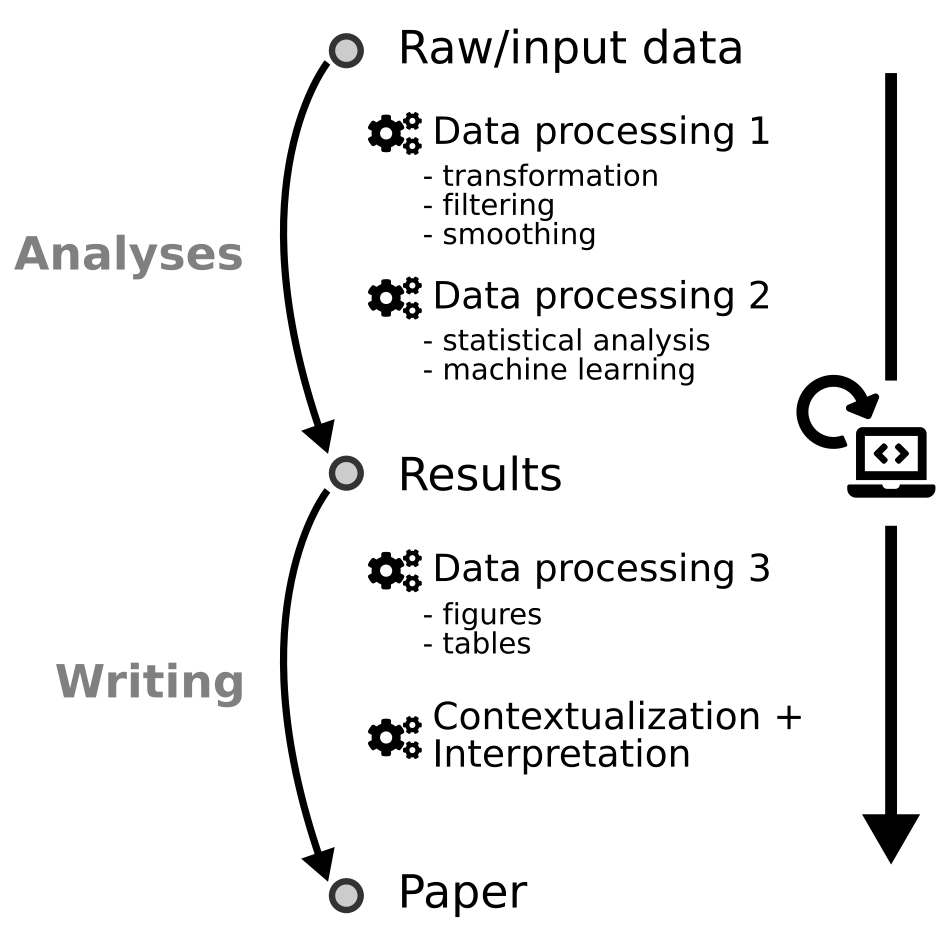
- Keep raw and processed data separate.
- Document assumptions, parameters, and software versions
Builds trust, efficiency, and long-term usability of results
A note on reproducibility
Preservation & archiving
Preservation & archiving
Guiding Questions
- Which trusted repository will be used for long-term preservation?
- Borealis, FRDR, Dryad, Zenodo, GBIF, OBIS
- In which formats will data be archived?
- CSV, NetCDF, GeoTIFF, JSON (avoid lossy formats like JPEG, MP3)
- How will datasets be persistently identified and cited?
- DOI, URI
- For how long will the data be preserved?
- typically ≥ 5–10 years, ideally indefinite
Goal: ensure your data remain usable and accessible well beyond the project
Preservation & archiving
Good Practices
- Deposit data at publication time, not years later
- Archive raw and processed data, link to analysis scripts
- Use repository versioning features instead of manual file names
- Ensure alignment with FAIR & CARE principles
Special Considerations
- Sensitive data ➡️ anonymization, restricted access, secure long-term storage
- Indigenous data sovereignty ➡️ respect CARE, OCAP®, NISR, community protocols
- Large volumes ➡️ consider specialized repositories, HPC, or cloud archives
Preservation & archiving
Some notes on file formats
Avoid Proprietary & Unsuitable Formats
- Not all formats are sustainable for long-term research data. Avoid using:
- Proprietary formats: require specific software that may become unavailable (ex. .xlsx, .shp, .sav, .psd, .docx with macros)
- Formats with strong version-dependence: older/newer versions may be unreadable without exact software (ex. ArcGIS-only file types)
- Compressed / lossy formats: reduce data quality and limit reuse (ex. .jpg, .mp3)
- Encrypted or password-protected files: block discovery, reuse, and preservation workflows
Rule of thumb: if a file requires special software, or might lose information when saved, it’s not a good archival format.
Preferred Open Formats by Data Type
Tabular data ➡️ CSV, Parquet
Spatial data ➡️ GeoPackage, GeoTIFF, NetCDF
Images ➡️ TIFF (uncompressed), PNG
Audio / Video ➡️ WAV, MP4 (H.264 codec)
Text / Documents ➡️ TXT, PDF/A, XML, JSON
Metadata ➡️ XML, JSON, standardized schemas (e.g., ISO 19115, Darwin Core)
Choose formats that are:
- Open & non-proprietary
- Well-documented & widely supported
- Sustainable for long-term preservation
- Open & non-proprietary
Preservation & archiving
ArcticNet’s requirements
- No centralized ArcticNet repository ➡️ projects choose suitable long-term repository
- Prefer certified, open-access options (PDC, Nordicana-D, GBIF, OBIS, FRDR)
- Deposit all data and metadata supporting results
- Plan early, use non-proprietary formats (CSV, TIFF, NetCDF)
- Retain data as long as required by stakeholders and funders
- State in DMP what will be preserved and any restrictions
ArcticNet’s guidance
- Researchers decide the most appropriate repository for their discipline and data type
- Focus on repository sustainability, DOIs, and open access
- Preservation can include raw, processed, and derived data when valuable
- Sensitive or Indigenous data may need restricted access or safeguards
- Rationale for retention and preservation must be clear in the DMP
Sharing & reuse
Sharing & reuse
Guiding Questions
- Who can access the data, and when?
- open, embargoed, or restricted
- What license will govern reuse?
- CC-BY, CC0, or custom terms
- How will data be documented?
- metadata and README ensure others can reuse data
Goal: make data available in a way that is clear, usable, and responsible
Sharing & reuse
Good Practices
- Use repositories that support DOIs and licensing
- Publish data papers or cite dataset DOIs in articles
- Link data to publications, code, and related datasets
- Be transparent about conditions of reuse
Special Considerations
- Commercially sensitive data ➡️ embargoes or restricted access
- Collaborations ➡️ phased sharing (internal first, open later)
Sharing & reuse
ArcticNet’s requirements
- Data must be findable, accessible, interoperable, and reusable (FAIR)
- Metadata published early in a recognized catalogue (e.g., re3data, PDC, FRDR)
- Deposit data in a trusted repository with persistent identifiers (DOIs)
- Users must cite and acknowledge data creators
- Any restrictions (sensitive, Indigenous, security) must be justified in the DMP
ArcticNet’s guidance
- Make data available as openly and quickly as possible, with minimal delay
- “As open as possible, as closed as necessary” (ethical and legal considerations)
- Indigenous and sensitive data require safeguards, informed consent, and respect for sovereignty (CARE, OCAP®, NISR)
- Embargoes or restricted access may apply, but must be transparent and time-limited
- Data access requests should not be unreasonably denied
Legal & ethics
Legal & ethics
Guiding Questions
- Are ethics approvals required?
- Research Ethics / Institutional Review Boards, community review
- Will Indigenous knowledge or data be collected?
- CARE, OCAP®, NISR, community agreements
- Who owns the data and how will IP be handled?
- ownership, licensing, industry agreements
- Are there legal restrictions on the data?
- Tri-Council, privacy acts, international obligations
Legal & ethics
Good Practices
- Sensitive or Indigenous data ➡️ respect CARE, OCAP®, and community protocols
- Clearly explain how participant rights are protected
- Use written data sharing agreements when applicable
- Consult community-led governance for Indigenous research
- Be transparent about data that cannot be shared and why
Special Considerations
- Multiple institutions ➡️ align ethics and legal requirements
- Indigenous partners may require community-based repositories or controlled access
- Consider cross-border data transfer and compliance
Goal
Let us create a DMP together. Let’s start here.
Data collection
Data collection
Guiding Questions
- What kinds of data will I collect?
- observational, experimental, computational, derived
- Which instruments, sensors, or methods will I use?
- field protocols, sensors, lab assays, software pipelines
- How will I ensure quality control before, during, and after collection?
- calibration, duplicate samples, error-checking
- How will I organize and label files?
- consistent file/folder naming, controlled vocabularies
Data collection
Quality Assurance / Quality Control (QA/QC)
- Before collection ➡️ instrument calibration, standardized protocols
- During collection ➡️ duplicate/triplicate samples, control samples, field blanks
- After collection ➡️ validation checks, error detection, version tracking
Data collection
Organization & naming
- Use consistent, descriptive file & folder names
- Avoid spaces/special characters ➡️ use
_or-. - Include versioning & dates (e.g.,
projectA_samples_2025-03-01_v1.csv)
- Organize folders by project/study/site/date rather than by researcher’s preference
- Use controlled vocabularies / ontologies where available ➡️ interoperability
Do & Don’t
✅ lakeC_fieldnotes_2025-03-01_v2.csv
❌ data latest & updated.xlsx
Documentation & metadata
Documentation & metadata
Guiding Questions
- How will I document my data so that others (or my future self) can understand it?
- lab/field notebooks, data dictionaries, README files, protocols
- Which metadata standard(s) will I use?
- Dublin Core, ISO 19115, Darwin Core, DataCite Schema
- When will metadata be created and updated?
- start at project onset, update regularly, finalize at archiving
Documentation & metadata
ArcticNet’s requirements
- Starting year 2, researchers must provide links to metadata records in recognized repositories
- Metadata must be openly accessible
- Funding will be withheld if metadata records are missing or inaccessible
- For Indigenous-owned data ➡️ researchers must identify the organization responsible for storing and managing it
- Metadata publication is still required
ArcticNet’s commitment
Role:
- Define metadata standards for projects
- Support researchers in preparing metadata
- Provide tools/templates to ease metadata submission
Initiatives
- Working with Polar Data Catalogue (PDC) to host project metadata
- Providing a PDC metadata template
- Offering support for preparation and submission
Storage & protection
Storage & protection
Guiding Questions
- Where will data be stored during the project?
- institutional servers, certified cloud storage, external media
- institutional servers, certified cloud storage, external media
- How often and where are backups made, and are they automated?
- frequency, number of copies, locations
- Who can access the data, and how is access protected?
- permissions, authentication, encryption
- permissions, authentication, encryption
- How much storage will be required?
- projected storage needs (GB/TB)
- Who provides, pays for, and maintains storage and backup?
- who pays and what infrastructure is provided
Storage & protection
Good Practices
- Prefer institutional or certified storage over personal laptops/USBs
- Use encrypted storage for sensitive data
- Automate backups whenever possible
- Document storage practices clearly in the DMP
- Plan ahead for long-term preservation (more on this soon)
Special Considerations
- Sensitive / Indigenous data ➡️ use community-approved safeguards, respect sovereignty
- Large volumes / “big data” ➡️ address infrastructure, costs, specialized servers
- Fieldwork constraints ➡️ describe temporary solutions (field laptops, portable drives) and how data will be secured until upload
Data analysis
Data analysis
Guiding questions
- What software, tools, or pipelines will be used?
- R, Python, MATLAB, ArcGIS, QGIS, etc
- How will analysis steps be documented?
- scripts, Jupyter notebooks, R Markdown, Quarto
- How will you ensure reproducibility?
- version control (GitHub, GitLab), containers (Docker)
Data analysis
Data analysis
Good Practices
- Prefer open-source tools when feasible
- Share analysis scripts with your datasets
- Keep raw and processed data separate.
- Document assumptions, parameters, and software versions
Builds trust, efficiency, and long-term usability of results
A note on reproducibility
Preservation & archiving
Preservation & archiving
Guiding Questions
- Which trusted repository will be used for long-term preservation?
- Borealis, FRDR, Dryad, Zenodo, GBIF, OBIS
- In which formats will data be archived?
- CSV, NetCDF, GeoTIFF, JSON (avoid lossy formats like JPEG, MP3)
- How will datasets be persistently identified and cited?
- DOI, URI
- For how long will the data be preserved?
- typically ≥ 5–10 years, ideally indefinite
Goal: ensure your data remain usable and accessible well beyond the project
Preservation & archiving
Good Practices
- Deposit data at publication time, not years later
- Archive raw and processed data, link to analysis scripts
- Use repository versioning features instead of manual file names
- Ensure alignment with FAIR & CARE principles
Special Considerations
- Sensitive data ➡️ anonymization, restricted access, secure long-term storage
- Indigenous data sovereignty ➡️ respect CARE, OCAP®, NISR, community protocols
- Large volumes ➡️ consider specialized repositories, HPC, or cloud archives
Preservation & archiving
Some notes on file formats
Avoid Proprietary & Unsuitable Formats
- Not all formats are sustainable for long-term research data. Avoid using:
- Proprietary formats: require specific software that may become unavailable (ex. .xlsx, .shp, .sav, .psd, .docx with macros)
- Formats with strong version-dependence: older/newer versions may be unreadable without exact software (ex. ArcGIS-only file types)
- Compressed / lossy formats: reduce data quality and limit reuse (ex. .jpg, .mp3)
- Encrypted or password-protected files: block discovery, reuse, and preservation workflows
Rule of thumb: if a file requires special software, or might lose information when saved, it’s not a good archival format.
Preferred Open Formats by Data Type
Tabular data ➡️ CSV, Parquet
Spatial data ➡️ GeoPackage, GeoTIFF, NetCDF
Images ➡️ TIFF (uncompressed), PNG
Audio / Video ➡️ WAV, MP4 (H.264 codec)
Text / Documents ➡️ TXT, PDF/A, XML, JSON
Metadata ➡️ XML, JSON, standardized schemas (e.g., ISO 19115, Darwin Core)
Choose formats that are:
- Open & non-proprietary
- Well-documented & widely supported
- Sustainable for long-term preservation
- Open & non-proprietary
Preservation & archiving
ArcticNet’s requirements
- No centralized ArcticNet repository ➡️ projects choose suitable long-term repository
- Prefer certified, open-access options (PDC, Nordicana-D, GBIF, OBIS, FRDR)
- Deposit all data and metadata supporting results
- Plan early, use non-proprietary formats (CSV, TIFF, NetCDF)
- Retain data as long as required by stakeholders and funders
- State in DMP what will be preserved and any restrictions
ArcticNet’s guidance
- Researchers decide the most appropriate repository for their discipline and data type
- Focus on repository sustainability, DOIs, and open access
- Preservation can include raw, processed, and derived data when valuable
- Sensitive or Indigenous data may need restricted access or safeguards
- Rationale for retention and preservation must be clear in the DMP
Sharing & reuse
Sharing & reuse
Guiding Questions
- Who can access the data, and when?
- open, embargoed, or restricted
- What license will govern reuse?
- CC-BY, CC0, or custom terms
- How will data be documented?
- metadata and README ensure others can reuse data
Goal: make data available in a way that is clear, usable, and responsible
Sharing & reuse
Good Practices
- Use repositories that support DOIs and licensing
- Publish data papers or cite dataset DOIs in articles
- Link data to publications, code, and related datasets
- Be transparent about conditions of reuse
Special Considerations
- Commercially sensitive data ➡️ embargoes or restricted access
- Collaborations ➡️ phased sharing (internal first, open later)
Sharing & reuse
ArcticNet’s requirements
- Data must be findable, accessible, interoperable, and reusable (FAIR)
- Metadata published early in a recognized catalogue (e.g., re3data, PDC, FRDR)
- Deposit data in a trusted repository with persistent identifiers (DOIs)
- Users must cite and acknowledge data creators
- Any restrictions (sensitive, Indigenous, security) must be justified in the DMP
ArcticNet’s guidance
- Make data available as openly and quickly as possible, with minimal delay
- “As open as possible, as closed as necessary” (ethical and legal considerations)
- Indigenous and sensitive data require safeguards, informed consent, and respect for sovereignty (CARE, OCAP®, NISR)
- Embargoes or restricted access may apply, but must be transparent and time-limited
- Data access requests should not be unreasonably denied
Legal & ethics
Legal & ethics
Guiding Questions
- Are ethics approvals required?
- Research Ethics / Institutional Review Boards, community review
- Will Indigenous knowledge or data be collected?
- CARE, OCAP®, NISR, community agreements
- Who owns the data and how will IP be handled?
- ownership, licensing, industry agreements
- Are there legal restrictions on the data?
- Tri-Council, privacy acts, international obligations
Legal & ethics
Good Practices
- Sensitive or Indigenous data ➡️ respect CARE, OCAP®, and community protocols
- Clearly explain how participant rights are protected
- Use written data sharing agreements when applicable
- Consult community-led governance for Indigenous research
- Be transparent about data that cannot be shared and why
Special Considerations
- Multiple institutions ➡️ align ethics and legal requirements
- Indigenous partners may require community-based repositories or controlled access
- Consider cross-border data transfer and compliance
Interoperable Metadata Hubs
ArcticNet Data Hub 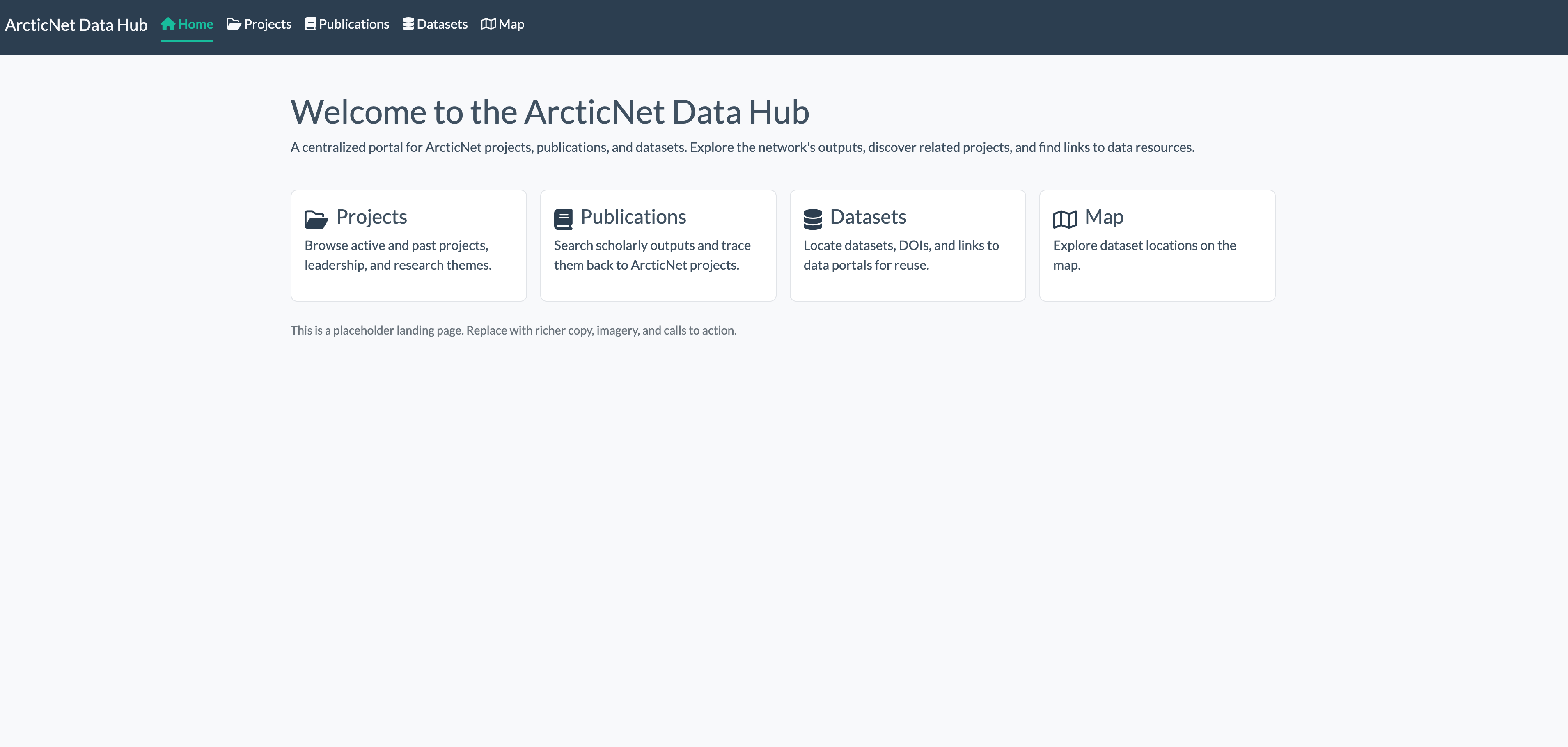
Regional Assessment Hub 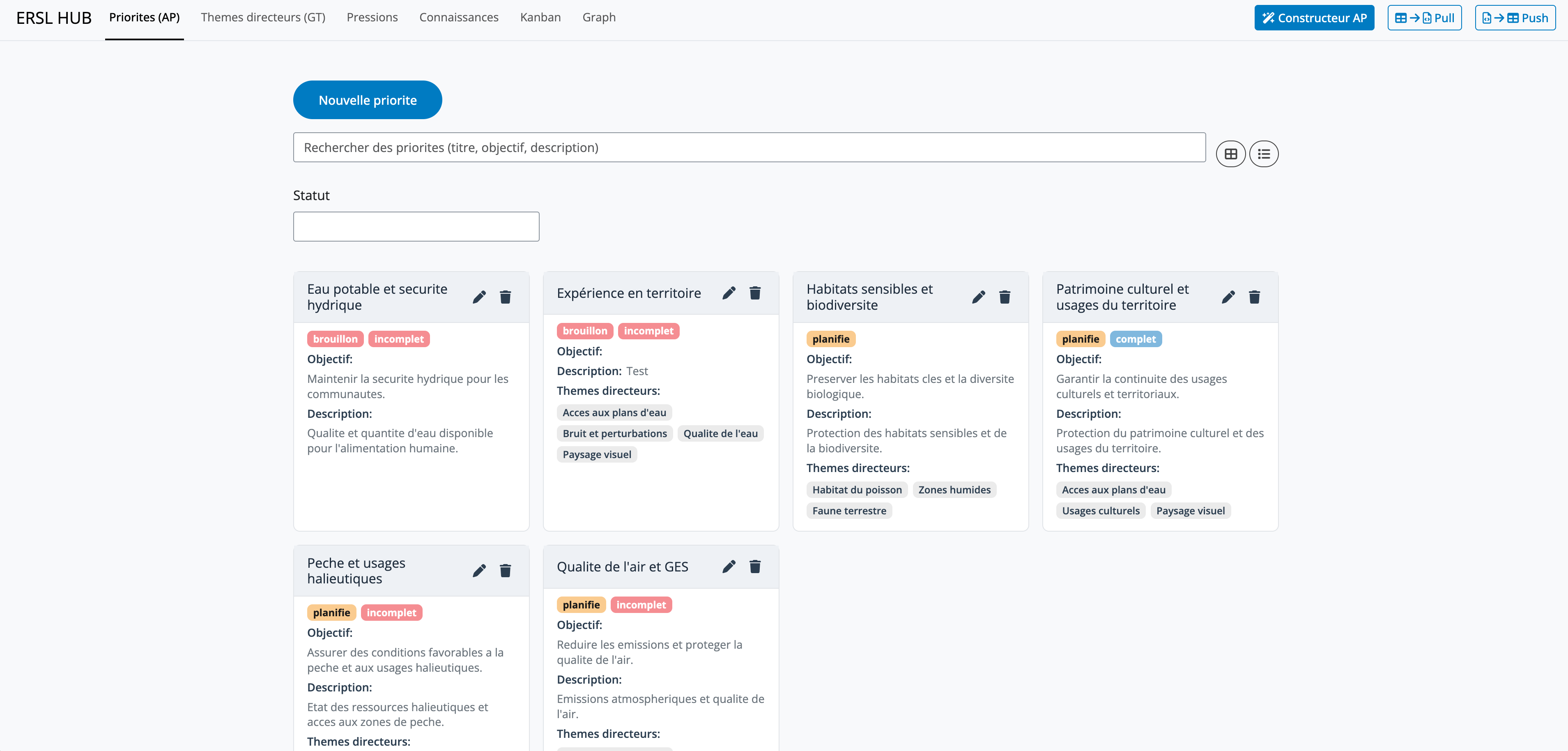
Thank you!
If you’re working on data management plans, metadata harmonization, or research program coordination, we’re happy to continue the discussion.
We would also greatly appreciate your feedback!