
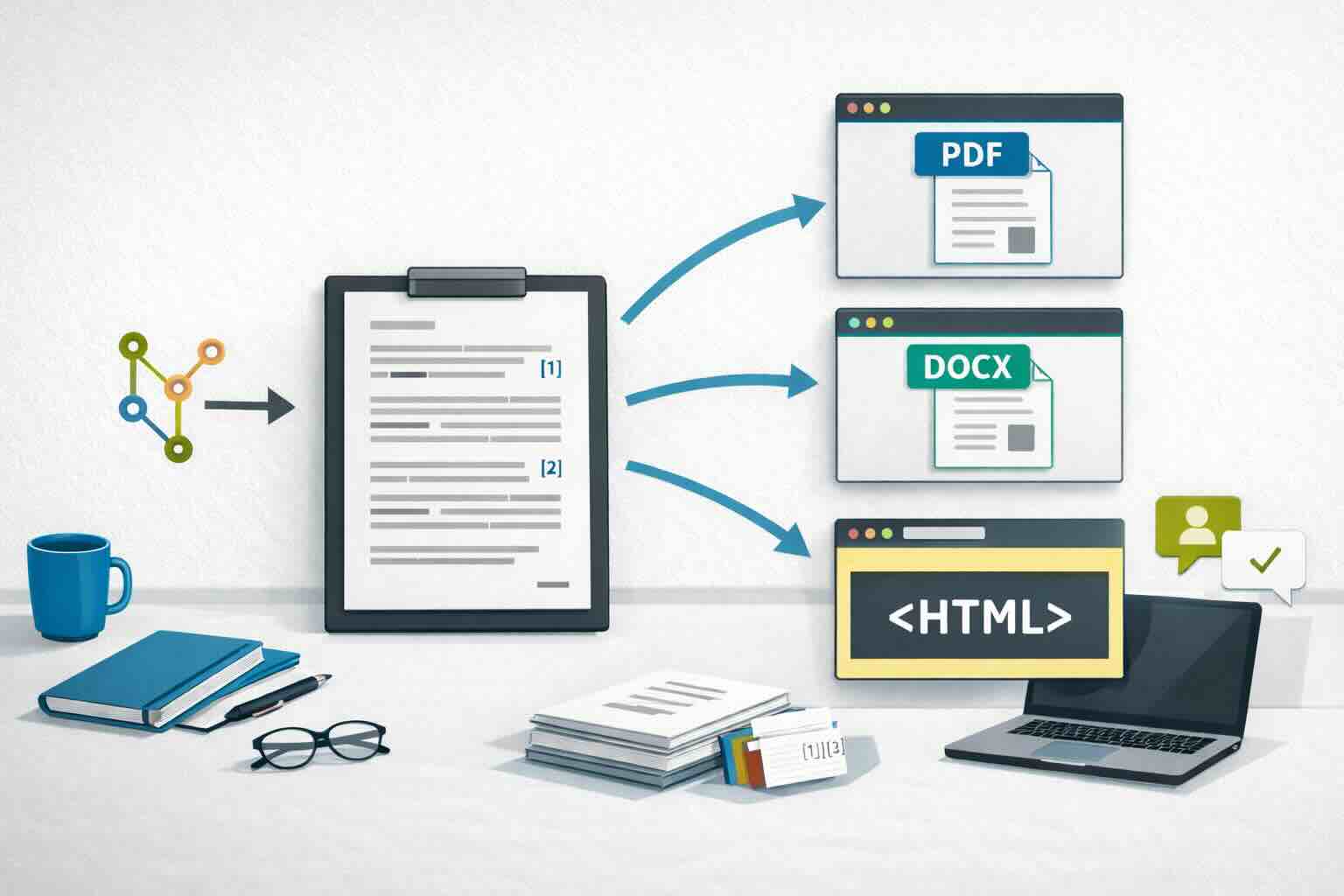
If you regularly write reports, papers, or technical documents, you likely spend too much time on tasks that are not actual writing: formatting, version cleanup, last-minute citation fixes, and reconciling multiple files before deadlines. These are not edge cases. They are common pain points across academia and industry, and they stem less from writing quality than from workflow friction.
We know this because we have lived it. Over the years, we have produced academic manuscripts, technical reports, client deliverables, and internal notes under real project constraints. In most cases, the hardest part was not drafting ideas. It was everything around the draft: reformatting the same content for different outputs, fixing references late, and coordinating revisions across collaborators.
The good news is that this overhead is avoidable. We did not solve it overnight, but after testing several setups, we kept the practices that reduced rework and dropped the ones that added complexity. The workflow in this post is the result of that process: a practical system we now use to keep documents reproducible and publish consistent outputs in PDF, Word, and HTML.
What follows is our field-tested approach, shared so you can get the benefits faster than we did.
In practice, this workflow relies on five tools, each solving a specific part of the problem:
- Markdown as the source of truth for writing
- Zotero for reference management
- Better BibTeX for stable citation keys and bibliography export
- Quarto for reproducible rendering
- VS Code (or Positron ) as the writing environment
The goal is simple: write once, render to multiple formats, and keep the document reproducible.
If you want to know right away the what’s in it for you, go right ahead to the tradeoffs and benefits section
Who this workflow is for
This setup is useful if you:
- write papers, reports, or long-form technical documents regularly
- update the same documents regularly with minimal changes
- need citations and bibliographies
- want outputs in HTML, PDF, and Word from one source
- collaborate through GitHub/GitLab or shared folders
- want a workflow that scales from “text-only memo” to “analysis + narrative”
The workflow in one diagram
Think in five steps:
- Write in Markdown (
.mdor.qmd) - Cite with Zotero + Better BibTeX
- Execute analysis code when needed (optional)
- Render to target formats (HTML/PDF/DOCX)
- Collaborate with version control and review
This order matters because it keeps content and structure stable while formatting and outputs stay flexible.
1) Write in Markdown
Markdown is a lightweight plain-text markup language. Instead of applying visual styles with a toolbar, you add simple syntax (for example # for headings or - for lists) that can later be rendered into polished outputs.
For reproducible writing, this matters because:
- plain text is durable and portable
- diffs are readable in version control (more on this below )
- content is separated from presentation
- conversion to other formats is straightforward
Here is a minimal example:
| |
For short documents, a plain .md file may be enough. For projects with citations, cross-references, executable code, and multiple outputs, use Quarto (.qmd) on top of Markdown (see below
).
If you are new to Markdown, these are good starting points:
2) Manage references with Zotero (+ Better BibTeX)
As a team, we have been using reference managers for almost two decades. We rely on them because they solve recurring problems in long-form writing:
- they centralize references and attached PDFs in one searchable library
- they reduce citation errors and formatting inconsistencies
- they let us switch citation styles quickly without rewriting references manually
- they make collaboration easier by keeping reference data structured and reusable
- they make late-stage revisions faster when sources are added or removed
Over the years, we have used several tools, including Mendeley and EndNote . Our long-term choice is now Zotero , mainly because it aligns with our technical and organizational culture:
- free and open source (GitHub )
- maintained by a non-profit organization (the Corporation for Digital Scholarship )
- supported by an active community and solid documentation (user docs , dev docs )
- extensible through plugins, especially Better BibTeX for text-based workflows
In day-to-day work, Zotero gives us the practical capabilities we need: metadata retrieval, collections and tags, duplicate detection, citation-style support, and reliable bibliography export. You can refer to the Zotero documentation for more information on available functionalities.
Better BibTeX
If you write in text-based workflows, Better BibTeX is a must-have add-on:
- stable citation keys
- automatic bibliography export to
.bib - fewer manual steps while drafting
Find everything you need to know about Better BibTeX on the documentation website and if you want to dig deeper, the source code is available on GitHub , where you can also access the latest release. Then see Plugins for Zotero to install it in Zotero.
3) Use Quarto as the publishing layer
If you are new to Quarto
, it helps to think of it as an authoring and publishing framework built for technical and scientific writing. You write plain-text source files (.qmd), and Quarto handles rendering, document structure, and output formats in a consistent way.
Under the hood, Pandoc does the heavy conversion work. Pandoc is an amazing tool to “convert files from one markup format into another”; it is an essential part of many authoring frameworks designed to generate dynamic documents that combine code and text, such as Quarto.
Quarto sits on top of Pandoc and provides a cleaner workflow for real projects: project-wide defaults, better handling of citations and cross-references, and predictable rendering across collaborators.
Quarto is helpful when you need:
- one source, many outputs
- code + narrative in the same document (ex: automatically insert figures and tables in a report)
- cross-references for figures/tables/sections
- project-level defaults via
_quarto.yml
Minimal project example
Quarto metadata stored in _quarto.yml:
| |
Quarto document stored as *.Qmd file:
| |
Render commands (see Quarto CLI docs ):
| |
Decision guide: Markdown only vs Quarto
Use Markdown (.md) only when:
- the document is short
- no executable code is needed
- conversion needs are limited
Use Quarto (.Qmd) when:
- you need robust citations and cross-references
- analysis code must run with the document
- multiple output formats are required
- you want consistent rendering across collaborators
4) Author in VS Code (or Positron)
Writing in a code editor is useful because it keeps content and presentation separate. In practice, that means less time fighting formatting and more time improving ideas.
Our own path was LaTeX in Sublime Text, then Markdown in Atom, and now VS Code for most long-form writing projects.
As a general-purpose editor, VS Code is a strong baseline:
- mature Markdown editing
- broad extension ecosystem
- good fit for mixed writing and software projects
For citations in VS Code, you can either use a Zotero-focused picker extension or a BibTeX-based citation picker. Both approaches work as long as your project points to a bibliography file.
If you are an R user, especially coming from RStudio, Positron is a natural next step because it keeps a VS Code-like foundation while adding a more analysis-oriented integrated development environment (IDE) layer.
For this workflow, Positron adds practical benefits on top of VS Code:
- an interface designed for code + prose workflows
- a familiar environment for users accustomed to RStudio-style data analysis work
- a strong fit for Quarto projects where writing, rendering, and analysis happen together
Our recommendation:
- choose VS Code if you want a general editor-first workflow and you work in multiple programming languages
- choose Positron if your reporting is tightly coupled to R, Python or Julia analysis and you want an IDE feel closer to RStudio
5) Collaboration and reproducibility practices
Tooling helps, but process matters just as much. The key idea is to keep one source of truth for each document and track every change to that source.
If version control is new to you, think of it as a structured history of your project. With Git , each saved checkpoint (a commit) records what changed, when, and why. This is useful for both solo and team writing because you can:
- recover earlier versions without creating many “final_v2_final_final” files
- review edits clearly before accepting them
- coordinate contributions from multiple collaborators
- keep text, code, citations, and outputs aligned over time
In this setup, Git is the version-control engine, while platforms like GitHub and GitLab are optional hosting layers for sharing repositories, reviewing changes, and collaborating asynchronously.
In practice, we use the following rules:
- keep one Git repository per writing project
- commit source files often with clear messages (for example: “revise introduction” or “update citations”)
- commit text and code changes together when they belong to the same analytical update
- create branches and Pull Requests (PR) when working collaboratively on projects
- avoid making manual formatting edits directly in final Word/PDF exports
- regenerate outputs (HTML/PDF/DOCX) from source at each milestone
- version bibliography (
.bib) and citation-style (.csl) files with the project
Even if you start alone, this structure pays off quickly. It reduces merge conflicts later and makes your writing process auditable and reproducible from draft to final delivery. This approach also pays off later: revisiting older projects becomes much easier, which we have experienced many times in our own work!
Here is a lightweight project structure:
| |
Trade-offs and expected benefits
Adopting a reproducible writing workflow is not frictionless. There is an upfront cost, but for recurring reporting work, the payoff is definitely worth it.
| Trade-off | Expected benefit |
|---|---|
| Upfront learning curve: you need to learn basic Markdown, project structure, and rendering commands. | Writing and publishing become faster and more predictable once the workflow is in place. In our experience, some processes went from weeks to hours. |
| Initial setup time: connecting Zotero, Better BibTeX, Quarto, and your editor takes effort. | After setup, you can reuse the same structure across projects and teams. In our case, this paid off quickly because each new project started from a stable base rather than from scratch. |
| Less WYSIWYG (What-you-see-is-what-you-get) comfort at first: plain-text authoring can feel unfamiliar compared to visual editors. | Better focus on content and fewer formatting issues during drafting. We felt this transition too, but after a few documents, going back to heavy manual formatting felt slower and more error-prone. |
| Version control habits required: Git introduces new concepts (commits, branches, pull requests). | Clearer collaboration, safer changes, and easier rollback when issues appear. It also ends the report_final_v2_notquite_nowitsfinal_v5.docx pattern. |
| Template and style tuning required: output formats may need one-time adjustments to match organizational standards. | Consistent HTML, PDF, and Word outputs generated from one source. We usually tune templates once, then reuse them across deliverables with minor edits. |
For one-off documents, this approach may feel heavy. For recurring reports and collaborative analysis projects, it is usually a very strong long-term investment. The investment will also make you use that workflow for most of your one-off documents once you are confortable with the tools and processes.
Final takeaways
For most teams, this stack is a practical default:
- Markdown for durable source text
- Zotero + Better BibTeX for references
- Quarto for reproducible multi-format publishing
- Positron or VS Code for day-to-day authoring
The result is a writing process that is easier to review, easier to reproduce, and easier to maintain over time.
If you want to implement this workflow in your team, we can help you set it up end-to-end: tooling, templates, and automated reporting pipelines. Contact us to discuss your context and constraints!
Have a topic in mind or want to stay up to date with our work?
Let us know!